One-touch troubleshooting of network performance from client to cloud
![]() | Recommend | Write a review |
The OneTouch™ AT Network Assistant is an all-in-one Gigabit Ethernet troubleshooter for copper, fiber optic and Wi-Fi networks. It provides a client view of network performance so you can resolve problems fast and complete deployment projects on time.
Based on a recent Fluke Networks' study (click here for the complete white paper), network professionals spend 25 percent of their time troubleshooting—that's time taken away from deploying new technologies and optimizing network performance. With most problems requiring an hour or more to solve, end-user productivity suffers across the enterprise. The OneTouch AT greatly reduces troubleshooting time through a streamlined, three-step approach:
By improving each step of the process, the OneTouch AT frees up nearly a week each month historically spent troubleshooting problems. The OneTouch AT makes everyone in your organization—from novice technicians to seasoned experts—a more effective troubleshooter.
“As a small team that’s always on the go, we can’t possibly have everything always at hand for network troubleshooting. At least, that’s what I thought until I tried the OneTouch AT. All I can say is ‘wow’ – it really covers everything from basic cable testing to overall network performance on wired, wireless and fiber. So no matter what we face we’re ready.” – Tony Peffley, system/network administrator, Elkhart County
The OneTouch incorporates two 10/100/1000 Mbps RJ-45 Ethernet test ports, two 100/1000 Mbps SFP fiber optic transceiver ports and an internal 802.11 a/b/g/n dual band radio. Simultaneously test your wired Ethernet and wireless Wi-Fi networks and easily compare performance with side-by-side test results.
Automated discovery of copper and fiber-connected devices and key device attributes. Sort by attributes to obtain multiple views into the wired network and to solve problems and select from among thirteen different sorts. For example, sort by IPv4 or IPv6 address to identify used and available addresses. You can sort by switch name/slot/port to understand where on the network devices are connected or sort by discovered problems to quickly identify potential issues. Additional discovery-assisted analysis tools aid with troubleshooting and profile creation.
Automated discovery of Wi-Fi devices and key device attributes. Sort by attributes to obtain multiple views into the wireless network and to solve problems. Select from among seventeen context-relative sorts. For example, sort by signal strength to troubleshoot Wi-Fi coverage issues. Sort by MAC manufacturer to discover Wi-Fi devices by type and to understand how they are connected relative to SSID, AP and channel. Sort by channel to identify channel spacing problems. Sort by authorization status to find potential security violations. Additional discovery-assisted analysis tools aid with troubleshooting and security enforcement.
Most network trouble tickets start where the client device is connected to the network—where the device could be a PC, IP phone, printer, POS terminal, industrial equipment controller or a medical imager. Common issues include “doesn’t work,” “can’t connect,” “files unreachable,” “application unresponsive,” and “the network is slow.” The OneTouch assists you in troubleshooting these issues – or proving that the network is not the cause – by emulating the client device and assessing network performance.
The cause of a network problem can be elusive. The OneTouch AT identifies problem root cause by measuring and analyzing the performance of the critical network components: the network cabling, the delivery of Power over Ethernet (PoE), the connection to the nearest switch, the connection to the nearest access point and the performance of key network services and server-based applications.
| |||
Use the intuitive touch interface to create test profiles, or test scripts, tailored to your network, services, and applications. Create simple profiles with only a few tests or advanced profiles consisting of dozens of tests. You can build profiles to accommodate different types of users, devices, locations or technologies. Once created, profiles can be saved for quick and easy reuse later. Create a library of standardized profiles to elevate the troubleshooting know-how of network support staff and to establish best practices for faster, more productive troubleshooting.
One Hour of Testing Time in Just One Minute
Test everything defined in a profile automatically with the one-touch AutoTest. As the AutoTest progresses from the physical layer, through the wired and wireless infrastructure, to network services and applications, clear pass/fail indicators appear next to the network element under test. Each network element – cable, switch, AP, service, application, Wi-Fi communication bands – is represented graphically. A top-level pass/fail indicator provides the overall status at a glance. Touch an icon to get detailed performance information.
The unique Veri-Fi test provides comprehensive verification of the Layer 1 through 3 network infrastructure by sending test traffic between the OneTouch AT’s wireless and wired connections. Measure throughput, loss, latency and jitter at rates up to 100Mbps in upstream and downstream directions.
Capture traffic when a packet-level view is required to solve a network or application issue. Filter the traffic to capture what is most important. Export the capture file to your favorite protocol analyzer for decoding and analysis.
Use the built-in inline aggregating copper and fiber optic TAP to access the traffic running between the client and the network. Avoid the complexity, time and cost required to configure switch mirror ports or to install standalone TAPs.
Collaborate with peers, consultants, integrators and vendors more effectively by sharing packet captures, screen shots and AutoTest reports. Control the user interface remotely and manage files remotely via the OneTouch AT management port and a web browser. Attach a web cam to the OneTouch AT to share a view of the test environment.
Copper and Fiber Optic Cable Testing
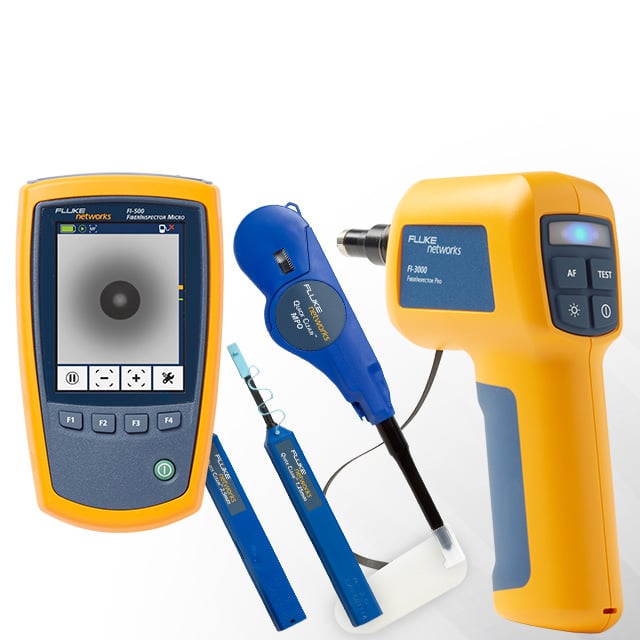
Understand cable performance by measuring twisted pair cable wiremap and length. Use cable identifiers and IntelliTone™ toning to locate and identify cables. Measure the optical power received through fiber optic cables. Verify the cleanliness of fiber optic connections by viewing connector end faces with the FiberInspector™ USB video probe.
PoE Testing
Verify the successful delivery of PoE with the TruePower™ load test. Measure PoE unloaded and under load. Emulate a 802.3at (PoE+) class 1 - 4 powered device and measure power up to 25.5 watts.
Wired and Wi-Fi Connectivity Testing
Understand how a client connects to the wired infrastructure by testing the link between the client and the nearest switch, identifying the nearest switch, slot, and port and monitoring key switch port statistics. Understand how a client connects to the Wi-Fi infrastructure by testing the link between the client and the nearest access point, identifying the AP name, channel and security, observing the authentication and association process and monitoring key AP and network statistics.
Measure Performance of Network Services
Understand if a network service or server-based application is the root cause of a reported problem by measuring availability and responsiveness. Choose the performance test appropriate for your service or application: ping (ICMP), connect (TCP), web (HTTP), file (FTP), multicast (IGMP), video (RTSP) or email (SMTP). Touch the icon on the home page to get a detailed breakdown of application performance including DNS lookup time, server response time and data rate. The measurements are presented side-by-side for easy wired/Wi-Fi and IPv4/IPv6 performance comparisons. A few examples: ping your WLAN controller, connect to port 2000 on your VoIP call manager, download a page of an application with a web interface, upload or download a file from a server, subscribe to a multicast group, access video content from an on-demand streaming video server or email a text message to your mobile phone.
Test Local and Cloud-based Services
Understand the performance of network services and server-based applications hosted locally in the datacenter, on a corporate intranet server or on a server reached via the public internet. Organize the tests by location by placing the test icon within the appropriate tier on the OneTouch AT home page. Measure service levels to the different tiers to spot problems.
Troubleshoot your IPv6 Network
The OneTouch AT service tests support IPv6 so you can easily compare and contrast the performance for your IPv4 and IPv6 wired and wireless networks.
Save Test Results
Save the AutoTest performance data in a PDF report to share with colleagues or outside parties, for trouble ticket documentation, as a record of historical performance for benchmarking and as a certification report after a new infrastructure deployment.
Purpose-built for Field Testing
The OneTouch AT is engineered specifically for network testing and network support professionals. Useful test and management tools include a web browser, Telnet/SSH client, cable toner, fiber optic connector inspection camera and webcam support. The durable platform provides years of reliable operation in tough environments.
| Feature Summary | 1T-1000 | 1T-1500 | 1T-2000 | 1T-3000 |
| Dual 10/100/1000 Mbps RJ45 ports | ● | ● | ● | ● |
| Dual 100/1000 Mbps fiber optic SFP ports | ● | ● | ● | ● |
| 10/100 RJ45 management port, USB 2.0 type A port | ● | ● | ● | ● |
| LAN analysis: cabling, link, TruePower™ PoE, nearest switch and gateway, DHCP, DNS, traffic statistics, hosts, access devices and servers | ● | ● | ● | ● |
| LAN accessories: AC adapter, wiremap adapter, patch cable, carrying case, manuals | ● | ● | ● | ● |
| Service tests: Ping (ICMP), Connect (TCP) | ● | ● | ● | ● |
| Wi-Fi analysis: nearest access point, networks, APs, clients, channels, connectivity, authentication, locating | ● | ● | ||
| Wi-Fi accessories: external directional antenna | ● | ● | ||
| Advanced service tests: Veri-Fi | ● | ● | ||
| Packet capture, single-ended and inline | ● | ● | ||
| Packet filtering and frame slicing | ● | ● | ||
| Advanced service tests: Web (HTTP), File (FTP), Multicast (IGMP), Video (RTSP), Email (SMTP) | ● | ● | ||
| Capture accessories: SX Gig fiber transceivers x 2, SD card and USB SD reader, USB flash drive, cable identifiers 2 - 6 | ● | ● |
| Model Number/Name | Description | ||||
| 1T-1000 | OneTouch AT Network Assistant with the Copper/Fiber LAN option, includes module and test frame, frame carry strap, AC adapter and line cord, wiremap adapter #1, RJ45 coupler, RJ45 patch cable, accessories pouch, carrying case, getting started guide, and resource CD with user manual See Photo, Compare Models | ||||
1T-1000 Gold Support:
| |||||
| 1T-1000/GLD | OneTouch AT 1T-1000, plus 1 year of Gold Support (available in the United States only) | ||||
| 1T-1500 | OneTouch AT Network Assistant with Copper/Fiber LAN, inline capture and advanced service tests options, includes module and test frame, frame carry strap, AC adapter and line cord, wiremap adapters #1 - #6, RJ45 coupler, RJ45 patch cable, SD card, USB SD card reader, USB flash drive, two 1000BASE-SX SFP fiber transceivers, accessories pouch, carrying case, getting started guide, and resource CD with user manual. See Photo. Compare Models. | ||||
1T-1500 Gold Support:
| |||||
| 1T-1500/GLD | OneTouch AT 1T-1500, plus 1 year of Gold Support (available in the United States only) | ||||
| 1T-2000 | OneTouch AT Network Assistant with Copper/Fiber LAN and Wi-Fi options, includes module and test frame, frame carry strap, AC adapter and line cord, wiremap adapter #1, RJ45 coupler, RJ45 patch cable, external directional antenna with mounting clip, accessories pouch, carrying case, getting started guide, and resource CD with user manual See Photo, Compare Models | ||||
1T-2000 Gold Support:
| |||||
| 1T-2000/GLD | OneTouch AT 1T-2000, plus 1 year of Gold Support (available in the United States only) | ||||
| 1T-3000 | OneTouch AT Network Assistant with Copper/Fiber LAN, Wi-Fi, inline capture and advanced service tests options, includes module and test frame, frame carry strap, AC adapter and line cord, wiremap adapters #1 - #6, RJ45 coupler, RJ45 patch cable, external directional antenna with mounting clip, SD card, USB SD card reader, USB flash drive, two 1000BASE-SX SFP fiber transceivers, accessories pouch, carrying case, getting started guide, and resource CD with user manual See Photo, Compare Models | ||||
1T-3000 Gold Support:
| |||||
| 1T-3000/GLD | OneTouch AT 1T-3000, plus 1 year of Gold Support (available in the United States only) | ||||
| Go to the Model Comparison chart under Features for a summary of model differences | |||||
| Model Number/Name | Description | ||||||||||||
| 1T-3000-FI | OneTouch AT 1T-3000, plus DI-1000 FiberInspector™ USB video probe with video probe tips See Photo | ||||||||||||
1T-3000-FI Gold Support:
| |||||||||||||
| 1T-3000-CSA | OneTouch AT 1T-3000, plus ClearSight™ Analyzer Software on CD for decoding packet captures on a Microsoft Windows PC See Photo | ||||||||||||
1T-3000-CSA Gold Support:
| |||||||||||||
| 1T-3000-LRAT2KIT | OneTouch AT 1T-3000, plus LinkRunner™ AT 2000 Extended Test Kit See Photo | ||||||||||||
1T-3000-LRAT2KIT Gold Support:
| |||||||||||||
| 1T-3000-ACK-LRAT2 | OneTouch AT 1T-3000, plus Network Tech Troubleshooting Kit with an AirCheck™ Wi-Fi tester and a LinkRunner™ AT 2000 tester See Photo | ||||||||||||
1T-3000-ACK-LRAT2 Gold Support:
| |||||||||||||
| 1T-3000-ESLSI-LRAT | OneTouch AT 1T-3000, plus an EtherScope™ LAN analyzer with Fiber and ProVision™/RFC2544 options, and a LinkRunner™ AT 2000 tester See Photo | ||||||||||||
1T-3000-ESLSI-LRAT Gold Support:
| |||||||||||||
| 1T-3000-OFP-QUAD | OneTouch AT 1T-3000, plus an OptiFiber Pro Quad OTDR module, four launch cables (50μm SC/LC, 50μm SC/SC, 9μm SC/LC, 9μm SC/SC), two IBC OneClick cleaners (1.25mm, 2.5mm), and carrying cases. See Photo | ||||||||||||
1T-3000-OFP-QUAD Gold Support:
| |||||||||||||
| 1T-1500-LRAT2 | OneTouch AT 1T-1500, plus a LinkRunner™ AT 2000 tester. See Photo. | ||||||||||||
1T-1500-LRAT2 Gold Support:
| |||||||||||||
| 1T-1500-2PK | Two complete OneTouch AT 1T-1500 kits. See Photo. | ||||||||||||
1T-1500-2PK Gold Support:
| |||||||||||||
| Model Number/Name | Description |
| 1T-WLAN-OPT | OneTouch AT Wi-Fi upgrade option, includes external directional antenna with mounting clip, and option activation instructions (for 1T-1000/1500 models) See Photo |
| 1T-CAP-ADV-OPT | OneTouch AT inline capture and advanced service tests upgrade option, includes wiremap adapters #2 - #6, SD card, USB SD card reader, USB flash drive, two 1000BASE-SX SFP fiber transceivers, and option activation instructions (for 1T-1000/2000 models) See Photo |
| 1T-WLAN-CAPADV-OPT | OneTouch AT Wi-Fi, inline capture and advanced service tests upgrade option, includes external directional antenna with mounting clip, wiremap adapters #2 - #6, SD card, USB SD card reader, USB flash drive, two 1000BASE-SX SFP fiber transceivers, and option activation instructions (for 1T-1000 models) See Photo |
| Model Number/Name | Description | ||
| OFP-FI | FiberInspector™ USB video probe with set of bulkhead and video probe tips | ||
OFP-FI Gold Support:
| |||
| SFP-1000SX | 1000BASE-SX Fiber SFP transceiver with DDM (850 nm, multimode) | ||
| SFP-1000LX | 1000BASE-LX Fiber SFP transceiver with DDM (1310 nm, singlemode) | ||
| SFP-1000ZX | 1000BASE-LZ Fiber SFP transceiver with DDM (1550 nm, singlemode) | ||
| SFP-100FX | 100BASE-FX Fiber SFP transceiver with DDM (multimode) | ||
| MT-8200-63A | IntelliTone 200 Probe Includes: IntelliTone 200 Probe, RJ11 and RJ 45 patch cables, lanyard, owners CD and quick start guide, and 9 volt battery | ||
| 1T-ANT | OneTouch AT replacement external directional Wi-Fi antenna (for 1T-2000/3000 models) | ||
| WIREVIEW 1 | WireView WireMapper #1 | ||
| WIREVIEW 2-6 | WireView WireMappers #2-6 | ||
| 1T-2000-MOD | OneTouch AT module only with Copper/Fiber LAN and Wi-Fi options, includes module, wiremap adapter #1, RJ45 coupler, RJ45 patch cable, external directional antenna with mounting clip, accessories pouch, getting started guide, and resource CD with user manual (TFS mainframe not included) See Photo | ||
| 1T-3000-MOD | OneTouch AT module only with Copper/Fiber LAN, Wi-Fi, inline and capture options, includes module, wiremap adapters #1 - #6, RJ45 coupler, RJ45 patch cable, external directional antenna with mounting clip, SD card, USB SD card reader, USB flash drive, two 1000BASE-SX SFP fiber transceivers, accessories pouch, getting started guide, and resource CD with user manual (TFS chassis not included) See Photo | ||
| TFS | TFS mainframe with battery | ||
TFS Gold Support:
| |||
| TFS-BAT | TFS battery | ||
| TFS-CHGR | TFS AC adapter/charger | ||
| TFS-HSTRAP | TFS hand strap | ||
| General | |
| Dimensions (with module and battery installed) | 10.3 in x 5.3 in x 2.9 in (26.2 cm x 13.5 cm x 7.3 cm) |
| Weight (with module and battery installed) | 3.5 lb (1.6 kg) |
| Display | 5.7 in (14.5 cm) LCD with projected capacitance touchscreen, 480 x 640 pixels |
| AC adapter | Input: 100-240 Vac, 50-60 Hz, 1.0 A Output: +15 Vdc, 2.0 A |
| Battery type | Lithium ion battery pack, 7.2 V |
| Battery life | Approximately 3-4 hours depending on type of usage 4 hours to charge from 10% capacity to 90% capacity with the unit powered off |
| Memory | Internal: 2 GB shared between system and user files SD card: 4 GB, brand and model selected for optimal performance USB 2.0 type A port: for use with USB mass storage devices |
| Network ports | |
| Network analysis ports | Two RJ-45 10/100/1000BASE-T Ethernet Two Small Form-factor Pluggable (SFP) 100BASE-FX/1000BASE-X Ethernet |
| Management port | One RJ-45 10/100BASE-T Ethernet |
| Supported network standards | IEEE 10BASE-T, IEEE 100BASE-T, IEEE 1000BASE-T, IEEE 100BASE-FX, IEEE 1000BASE-X |
| RFCs and standard MIBs used | 1213, 1231, 1239, 1285, 1493, 1512, 1513, 1643, 1757, 1759, 2021, 2108, 2115, 2127, 2233, 2495, 2515, 2558, 2618, 2737, 2790, 2819, 3592, 3895, 3896, 4188, 4502. |
| Not for connection to telephone networks | The OneTouch AT analyzer is NOT designed for connection to a telephone network. The OneTouch AT analyzer is NOT designed for connection to an ISDN line. Do not connect to a telephone network or ISDN line except through a regulatory agency compliant computer network modem device. |
| Wi-Fi Adapter | |
| Data rate | 802.11a: 6/9/12/24/36/48/54 Mbps 802.11b: 1/2/5.5/11 Mbps 802.11g: 6/9/12/24/36/48/54 Mbps 802.11n (20 MHz): MCS0-23, up to 216 Mbps 802.11n (40 MHz): MCS0-23, up to 450 Mbps |
| Operating frequency | 2.412 ~ 2.484 GHz (Industrial Scientific Medical Band) 5.170 ~ 5.825 GHz |
| Security | 64/128-Bit WEP Key, WPA, WPA2, 802.1X |
| Transmit output power (±2 dBm tolerance, maximum power will vary by channel and according to individual country regulations) | 802.11a: 12 dBm ± 2 dBm @ 54 Mbps 802.11b: 17 dBm ± 2 dBm @ 11 Mbps 802.11g: 16 dBm ± 2 dBm @ 54 Mbps 802.11gn HT20: 16 dBm ± 2 dBm @ MCS0 802.11gn HT20: 15 dBm ± 2 dBm @ MCS7 802.11gn HT40: 15 dBm ± 2 dBm @ MCS0 802.11gn HT40: 14 dBm ± 2 dBm @ MCS7 802.11an HT20: 15 dBm ± 2 dBm @ MCS0 802.11an HT20: 12 dBm ± 2 dBm @ MCS7 802.11an HT40: 14 dBm ± 2 dBm @ MCS0 802.11an HT40: 11 dBm ± 2 dBm @ MCS7 |
| Receive sensitivity (±2 dBm tolerance) | 802.11a: -81 dBm ± 2 dBm @ 54 Mbps 802.11b: -92 dBm ± 2 dBm @ 11 Mbps 802.11g: -82 dBm ± 2 dBm @ 54 Mbps 802.11gn HT20: -79 dBm ± 2 dBm @ MCS7 802.11gn HT40: -76 dBm ± 2 dBm @ MCS7 802.11an HT20: -78 dBm ± 2 dBm @ MCS7 802.11an HT40: -74 dBm ± 2 dBm @ MCS7 |
| Power consumption (typical) | Transmit: 80 mA Receive: 350 mA |
| Wi-Fi Antennas | |
| Internal Wi-Fi antennas | Three internal 2.4 GHz, 1.1 dBi peak, 5 GHz, 3.2 dBi peak antennas supporting 3x3 MIMO technology |
| External directional antenna | Antenna, frequency range 2.4 - 2.5 and 4.9 - 5.9 GHz. Minimum gain 5.0 dBi peak in the 2.4 GHz band, and 7.0 dBi peak in the 5 GHz band. |
| External antenna connector (external antenna port is receive-only, no transmit) | Reverse SMA |
| Environmental and regulatory | |
| Operating temperature | 32°F to 122°F (0°C to 50°C) |
| Battery charging temperature | 32°F to 104°F (0°C to 40°C) |
| Storage temperature | -40°F to 160°F (-40°C to 71°C) -4°F to 122°F (-20°C to 50°C) for periods longer than 1 week |
| Operating relative humidity (% RH without condensation) | 5% to 45% at 32°F to 122°F (0°C to 50°C) 5% to 75% at 32°F to 104°F (0°C to 40°C) 5% to 95% at 32°F to 86°F (0°C to 30°C) |
| Shock and vibration | Meets the requirements of MIL-PRF-28800F for Class 3 Equipment |
| Safety | CAN/CSA-C22.2 No. 61010-1-04, IEC 61010-1:2001 |
| Operating altitude | 13,123 ft (4,000 m), 10,500 ft (3,200 m) with ac adapter |
| Storage altitude | 39,370 ft (12,000 m) |
| Pollution degree | 2 |
| EMC | EN 61326-1:2006 |
| Cables | |
| Cable types | 100 Ω Unshielded Twisted Pair (UTP) LAN cables. 100 Ω Shielded or Screened Twisted Pair (SeTP) LAN cables. TIA Category 3, 4, 5, 5e, and 6. ISO Class C, D, E and F. |
| Cable length measurement | Measurable cable lengths are from 3 feet (1 meter) to 656 feet (200 meters). Accuracy: ± 6 feet (± 2 meters) or 5%, whichever is greater. Length measurement is based on Nominal Velocity of Propagation (NVP) for CAT 5e cable. |
| Settings | |
| Wired | Speed, duplex, PoE, 802.1X, IPv4 address, IPv6 address, MAC address (port A can be changed by the user), VLAN, Wait for Rx Frame |
| Wi-Fi | Band (2.4 and/or 5 GHz), authorization default, scan or connect, SSID, security, IPv4 address, IPv6 address, MAC address (Wi-Fi adapter can be changed by the user), Transmit Probes |
| Analysis | SNMP v1/v2, SNMP v3, Slow Discovery |
| Management port | IPv4 address |
| Language (user interface) | Chinese (simplified), English, French, German, Japanese, Portuguese, Russian, Spanish |
| Network Tests | |
| Receive Rx optical power measurement | accuracy varies by transceiver, typically ± 3.0 dB |
| Infrastructure | OneTouch, cable, link, PoE, nearest switch, nearest AP, DHCP server, DNS server, gateway |
| Wired Analysis | hosts, access devices, servers, tools (port scan, add test), sorts |
| Discovery protocols supported | SNMP v1/v2/v3, CDP, EDP, LLDP, ICMP, ARP |
| Wi-Fi Analysis | networks, access points, clients, channels, tools (name, authorization, connect, locate), sorts, show active |
| Services | Ping (ICMP), connect (TCP), Veri-Fi™, web (HTTP), file (FTP), multicast (IGMP), video (RTSP), email (SMTP) |
| Testing Tools | |
| Capture | fame slice size (64 B to 9600 B), AutoTest capture |
| Browser | port (management/wired/Wi-Fi) |
| Telnet/SSH | Username/password (for SSH) |
| Toner | IntelliTone™, analog 400 Hz, analog 1 kHz |
| Flash switch port | 1s, 2s, 3s |
| FiberInspector™/Webcam | real time, pause, scale (for fiber), save |
| File Tools | |
| Profiles | Save, delete, rename, export, import, load |
| AP authorization | Save, delete, rename, export, import, load |
| Reports | Save, delete, rename, export, import, view |
| Screens | Save, delete, rename, export, import, view |
| Certifications and Compliance | |
| Conformite Europeene. Conforms to the requirements of the European Union and the European Free Trade Association (EFTA). | |
| Listed by the Canadian Standards Association. | |
| Conforms to relevant Australian standards. | |
| Title/Description | Download | |
OneTouch AT Datasheet
OneTouch AT Datasheet | Download PDF (1.16 MB) |
| Title/Description | Download | |
Managing BYOD and the Consumerization of IT
Managing BYOD and the Consumerization of IT | Download PDF (2.3 MB) | |
OneTouch AT Fiber Troubleshooting Kit Application Note
OneTouch AT Fiber Troubleshooting Kit Application Note | Download PDF (512 KB) |
| Title/Description | Download | |
BYOD Without Tears
The Impact and challenge for Network Engineers | Download PDF (1.15 MB) | |
Reduce the risk of network and application performance issues
Reduce the risk of network and application performance issues. Your how-to guide to optimising network performance and minimising downtime | Download PDF (678 KB) | |
OneTouch AT: A New Paradigm For Network Problem Solving White Paper
OneTouch AT: A New Paradigm For Network Problem Solving White Paper | Download PDF (469 KB) |
| Title/Description | Download | |
OneTouch AT Gold Value/Benefits Flyer
OneTouch AT Gold Value/Benefits Flyer | Download PDF (605 KB) |
King County Library System Reduces Diagnostic Analysis and Speeds Resolution with Fluke Networks’ OneTouch™ AT Network Assistant
Challenge:
The King County Library System (KCLS) is one of the busiest libraries in the U.S., and while it has a relatively large IT department, there’s only one person responsible for troubleshooting all network issues. The troubleshooting process for KCLS was anything but streamlined, often involving multiple laptops with testing software, and time-consuming set up and configuration before testing could begin.
Results:
KCLS trialed Fluke Networks’ OneTouch AT Network Assistant, experiencing remarkable results. Its one button AutoTest, comprehensive performance measurement, broad test portfolio and easy remote management capability were just the answers KCLS needed to increase responsiveness and simplify troubleshooting. The handheld device significantly reduced the time required for set up and diagnosis, delivered side-by-side results for fast analysis, and offered an intuitive interface and easy remote access for better collaboration across the IT team.
Finding Root Cause Fast with Fluke Networks’ OneTouch™ AT Network Assistant
Challenge:
Inspired Innovations, Inc. offers a wide range of integration services, from smart home automation to computer networking. When working with customers, Inspired Innovations often encounters pre-existing networks that have been deployed by the client or other third party providers, which can lead to finger-pointing when problems arise. The company traditionally uses a variety of tools to validate performance. However, what Inspired Innovations really wants is one network test device that can quickly and thoroughly visually identify network issues.
Results:
Inspired Innovations used Fluke Networks OneTouch AT Network Assistant to conquer networking and IT issues, allowing technicians to quickly identify common problems and share that information with other stakeholders. The device’s intuitive and visual interface simplified explaining issues to customers, and its pinpoint accuracy and remote capabilities improved collaboration with other vendors.
Fluke Networks’ OneTouch™ AT Replaces Unwieldy Collection of Network Troubleshooting Tools for Passavant Hospital
Challenge:
Passavant Area Hospital’s fifteen person department is responsible for both the typical desktops, servers and network infrastructure, and also keeping the hospital’s wireless Computer on Wheels (COW) carts operating, which are critical to maintaining patient care. As a result, it is imperative that networking and IT issues are quickly identified and resolved. The hospital’s primary resource for doing this is a laptop with various diagnostic tools and a cable tester – an unwieldy combination that inevitably increases the time for testing and diagnosis. The hospital’s IT manager needed a way to reduce the time it took to analyze, diagnose and resolve issues.
Results:
Passavant Area Hospital was able to replace a variety of tools with Fluke Networks’ OneTouch AT Network Assistant, finding the simple handheld device to be a flexible, mobile and seamless all-in-one solution. It was fast to deploy, eliminated wasted time, and provided a convenient solution for a broad range of troubleshooting needs.
IT services provider manages client networks remotely, reducing costs and downtime
Challenge:
With a lean team and diverse environment, maintaining network performance is challenging for Elkhart County’s IT department. The County had been relying on a collection of different application suites and testing tools for troubleshooting, but that was both time consuming and not at all portable for remote locations. As a result, the IT team wanted a tool like Fluke Networks’ OneTouch AT Network Assistant that was fast, easy to use and covered a broad range of testing requirements and connections.
Results:
Elkhart County found the OneTouch AT Network Assistant to be both extremely intuitive and a true all-in-one tool able to handle most any network troubleshooting scenario. With the OneTouch AT, the team was able to quickly pinpoint problems and identify the correct solution to keep users productive.
EDTECH Magazine: Indispensable network troubleshooting tool demonstrates its versatility
eWeek: Fluke Networks Brings Back the OneTouch AT Technician Tool
----
Funkschau, Product of the Year 2012
TechWorld Awards, Shortlist 2012
The OneTouch AT Network Assistant models with Wi-Fi features (802.11) are regulated test instruments and are approved for shipment and sale into the following countries only. For countries not listed below, wireline-only models without Wi-Fi are approved for shipment and sale.
Aruba | Estonia | Luxembourg | Saudi Arabia |
Gold Support for your OneTouch AT Network Assistant allows you to make the most of your OneTouch purchase while ensuring a higher return on your investment.
You will minimize your downtime, receive faster trouble resolution and have total access to all support resources.
What do you get with Gold Support for your OneTouch AT Network Assistant?
Repairs and loaner equipment - If your OneTouch should fail, we'll deliver a loaner unit via next-day delivery to keep you up and running. We'll repair your OneTouch and replace defective or faulty accessories at no charge, with first on bench" priority, and return it to you - all shipping paid by Fluke Networks.
Software upgrades - Your OneTouch will never be out of date. You'll receive all software upgrades free - the only way to keep your OneTouch updated.
Access to live 24 x 7 technical support - Extend the expertise of your staff. Gold Support includes direct, immediate telephone access to our world-class Technical Assistance Center (TAC), direct access only available to Gold Members. Our centers in Seattle, WA and Eindhoven, NL employ a full staff of highly trained technical experts that are on call, including weekends and through the night when most network changes are implemented, to answer complex troubleshooting questions helping you get the most out of your OneTouch and understand the results you are seeing.
Accessory Replacement - Some accessories are essential to your OneTouch. The normal warranty on accessories is 90 days, but parts and accessories including the OneTouch battery will be replaced free of charge with Gold Support once qualified as defective by our technical assistance center.
OneTouch Gold Support Members Online Training - Online training that can be utilized without having to take your staff out of the field can be a valuable tool. Gold Support Members have access to exclusive on-line training modules.
Unlimited access to our Knowledge Base - You'll have an open door to valuable proprietary information we've gathered from helping customers over the years. It also includes helpful technical articles written by our experts.
Member Only promotions - Your membership qualifies you for Members Only promotions and programs. This includes product discounts, access to reconditioned equipment at special prices and other incredible values.
Ensure that you are getting the most out of your OneTouch AT Network Assistant with Gold Support Services.